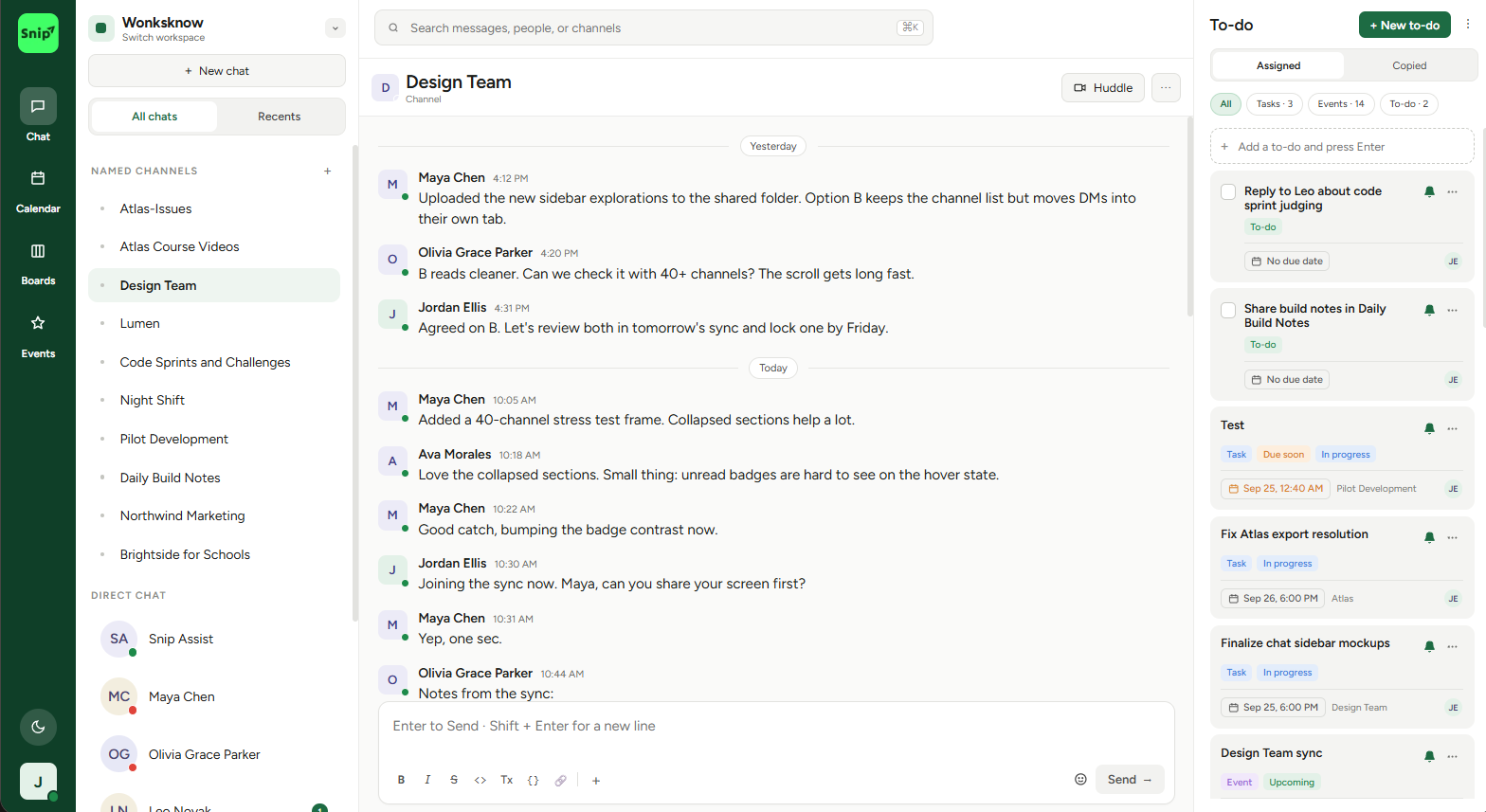
Wonksknow Chat API

A production-ready microservice chat application built with Go, supporting real-time messaging via WebSockets, multi-tenancy, and role-based access control (RBAC).

✨ Features

Multi-tenancy
Isolated data per tenant
Real-time Messaging
WebSocket support for instant messaging
Role-Based Access Control
Fine-grained permissions
User Management
Complete CRUD operations
Group Chats
Create and manage group conversations
Message Features
Edit, delete, pin, reactions, read receipts
File Attachments
Support for file attachments in messages
OAuth Support
Google and GitHub OAuth integration
RESTful API
Clean REST API design
Swagger Documentation
Interactive API documentation

🚀 Quick Start

Prerequisites

Installation

  1. Clone the repository:
    git clone <repository-url>
    cd wonksknow-chat
  2. Install dependencies:
    go mod download
  3. Configure environment variables:
    cp env.example .env
    # Edit .env with your configuration
  4. Run the application:
    go run main.go

The server will start on http://localhost:8080 (or the port specified in SERVER_PORT).

đŸ‘Ĩ Tenant Onboarding Guide

This guide will walk you through the process of signing up as a tenant, generating tokens, and using all the APIs.

Step 1: Create a Tenant

Create a new tenant account. This is your organization's entry point to the chat service.

Endpoint: POST /api/v1/tenants

Request:

curl -X POST http://localhost:8080/api/v1/tenants \
  -H "Content-Type: application/json" \
  -d '{
    "name": "My Company"
  }'

Response:

{
  "id": "tenant-uuid-here",
  "name": "My Company",
  "api_key": "api-key-uuid-here",
  "is_active": true,
  "message": "Tenant created successfully. Please save the API key securely."
}
âš ī¸ IMPORTANT: Save both the id and api_key securely. You'll need:
  • id (Tenant ID) for all authenticated requests
  • api_key to generate authentication tokens

Step 2: Generate an Authentication Token

Use your API key to generate an authentication token. This token is required for all API requests.

Endpoint: POST /api/v1/tenant/{tenant_id}/auth/token

Request:

curl -X POST http://localhost:8080/api/v1/tenant/{tenant_id}/auth/token \
  -H "X-API-Key: your-api-key-here"

Response:

{
  "token": "generated-token-here",
  "tenant_id": "tenant-uuid-here",
  "expires_at": "2024-11-20T10:29:07Z",
  "expires_in": 86400
}
â„šī¸ Note: Tokens expire after 24 hours. You'll need to regenerate them periodically.

Step 3: Create Users

Create users in your tenant. Users can send messages, join groups, and have roles assigned.

Endpoint: POST /api/v1/users

Request:

curl -X POST http://localhost:8080/api/v1/users \
  -H "Content-Type: application/json" \
  -H "Authorization: Bearer your-token-here" \
  -H "X-Tenant-ID: your-tenant-id-here" \
  -H "X-User-ID: admin-user-id-here" \
  -d '{
    "name": "John Doe",
    "email": "john@example.com",
    "phone": "+1234567890"
  }'

Response:

{
  "id": "user-uuid-here",
  "tenant_id": "tenant-uuid-here",
  "name": "John Doe",
  "email": "john@example.com",
  "phone": "+1234567890",
  "is_active": true,
  "created_at": "2024-11-19T10:29:07Z",
  "updated_at": "2024-11-19T10:29:07Z"
}

Required Headers:

  • Authorization: Bearer {token} - Your authentication token
  • X-Tenant-ID: {tenant_id} - Your tenant ID
  • X-User-ID: {user_id} - The user ID performing the action (for RBAC)

Step 4: Create Groups (Optional)

Create group chat rooms where multiple users can communicate.

Endpoint: POST /api/v1/groups

Request:

curl -X POST http://localhost:8080/api/v1/groups \
  -H "Content-Type: application/json" \
  -H "Authorization: Bearer your-token-here" \
  -H "X-Tenant-ID: your-tenant-id-here" \
  -H "X-User-ID: admin-user-id-here" \
  -d '{
    "name": "Team Chat",
    "description": "Team discussion room",
    "user_ids": ["user-id-1", "user-id-2", "user-id-3"]
  }'

Step 5: Send Messages

Send messages to users or groups.

Endpoint: POST /api/v1/chats

Direct Message:

curl -X POST http://localhost:8080/api/v1/chats \
  -H "Content-Type: application/json" \
  -H "Authorization: Bearer your-token-here" \
  -H "X-Tenant-ID: your-tenant-id-here" \
  -H "X-User-ID: sender-user-id-here" \
  -d '{
    "receiver_id": "receiver-user-id-here",
    "message_body": "Hello! How are you?",
    "message_type": "text"
  }'

Group Message:

curl -X POST http://localhost:8080/api/v1/chats \
  -H "Content-Type: application/json" \
  -H "Authorization: Bearer your-token-here" \
  -H "X-Tenant-ID: your-tenant-id-here" \
  -H "X-User-ID: sender-user-id-here" \
  -d '{
    "group_id": "group-id-here",
    "message_body": "Hello team!",
    "message_type": "text"
  }'

Step 6: Connect via WebSocket

Connect to the WebSocket endpoint for real-time messaging.

WebSocket Endpoint: ws://localhost:8080/api/v1/ws

JavaScript Example:

const token = 'your-token-here';
const ws = new WebSocket(`ws://localhost:8080/api/v1/ws?token=${token}`);

ws.onopen = () => {
  console.log('WebSocket connected');
  
  // Send a message
  ws.send(JSON.stringify({
    type: 'message',
    tenant_id: 'your-tenant-id',
    chat_id: 'message-id-here',
    sender_id: 'sender-user-id',
    data: {
      receiver_id: 'receiver-user-id',
      message_body: 'Hello via WebSocket!'
    },
    timestamp: new Date().toISOString()
  }));
};

ws.onmessage = (event) => {
  const message = JSON.parse(event.data);
  console.log('Received message:', message);
};

ws.onerror = (error) => {
  console.error('WebSocket error:', error);
};

ws.onclose = () => {
  console.log('WebSocket disconnected');
};

📚 API Documentation

Interactive Swagger documentation is available at:

🔐 Authentication

API Key Authentication

Used for generating tenant authentication tokens.

Header:

X-API-Key: your-api-key-here

Used in:

Bearer Token Authentication

Used for all authenticated API endpoints.

Headers:

Authorization: Bearer your-token-here
X-Tenant-ID: your-tenant-id-here
X-User-ID: your-user-id-here (optional, for RBAC)

Used in:

🔗 API Endpoints

Tenants

Method Endpoint Description Auth
POST /api/v1/tenants Create a new tenant None
GET /api/v1/tenants/{id} Get tenant information None
PUT /api/v1/tenants/{id} Update tenant None
POST /api/v1/tenants/{id}/regenerate-api-key Regenerate API key None

Authentication

Method Endpoint Description Auth
POST /api/v1/tenant/{tenant_id}/auth/token Generate authentication token API Key

Users

Method Endpoint Description Auth Permission
POST /api/v1/users Create a user Bearer users:create
GET /api/v1/users List all users Bearer users:read
GET /api/v1/users/{id} Get user by ID Bearer users:read
PUT /api/v1/users/{id} Update user Bearer users:update
DELETE /api/v1/users/{id} Delete user Bearer users:delete

Groups

Method Endpoint Description Auth Permission
POST /api/v1/groups Create a group Bearer groups:create
GET /api/v1/groups List all groups Bearer groups:read
GET /api/v1/groups/{id} Get group by ID Bearer groups:read
PUT /api/v1/groups/{id} Update group Bearer groups:update
DELETE /api/v1/groups/{id} Delete group Bearer groups:delete

Chats

Method Endpoint Description Auth Permission
POST /api/v1/chats Send a message Bearer chats:create
GET /api/v1/chats Get messages Bearer chats:read
PUT /api/v1/chats/{id} Update message Bearer chats:update
DELETE /api/v1/chats/{id} Delete message Bearer chats:delete
POST /api/v1/chats/{id}/pin Pin message Bearer chats:update
POST /api/v1/chats/{id}/unpin Unpin message Bearer chats:update
POST /api/v1/chats/{id}/reactions Add reaction Bearer chats:update
POST /api/v1/chats/read Mark as read Bearer chats:read

RBAC

Method Endpoint Description Auth Permission
POST /api/v1/rbac/roles Create a role Bearer rbac:create
GET /api/v1/rbac/roles List all roles Bearer rbac:read
GET /api/v1/rbac/roles/{id} Get role by ID Bearer rbac:read
PUT /api/v1/rbac/roles/{id} Update role Bearer rbac:update
POST /api/v1/rbac/users/{user_id}/roles Assign role to user Bearer rbac:update

WebSocket

Method Endpoint Description Auth
GET /api/v1/ws WebSocket connection Bearer Token (query param or header)

🔌 WebSocket API

Connection

Connect to wss://your-domain.com/api/v1/ws?token={your-token}&tenant_id={tenant_id}&user_id={user_id}

Note: For secure connections (HTTPS), use wss:// protocol. For HTTP, use ws://.

WebSocket Message Types

1. Load Roster (Users and Groups)

Load all users and groups for the current tenant.

Request:

{
  "type": "load_roster",
  "data": {}
}

Response:

{
  "type": "roster_loaded",
  "data": {
    "users": [
      {
        "id": "user-id",
        "name": "John Doe",
        "email": "john@example.com",
        "latestMessage": "Last message text",
        "latestMessageTime": "2024-11-19T10:29:07Z"
      }
    ],
    "groups": [
      {
        "id": "group-id",
        "name": "Team Chat",
        "latestMessage": "Last message text",
        "latestMessageTime": "2024-11-19T10:29:07Z"
      }
    ]
  }
}

2. Load Chat Messages (Last Messages for a Chat)

Load the last messages for a specific chat (direct message or group). Returns messages with unread count.

Request (Direct Message):

{
  "type": "load_chat_messages",
  "data": {
    "receiver_id": "receiver-user-id"
  }
}

Request (Group Chat):

{
  "type": "load_chat_messages",
  "data": {
    "group_id": "group-id"
  }
}

Response:

{
  "type": "chat_messages_loaded",
  "data": {
    "receiver_id": "receiver-user-id",
    "group_id": null,
    "messages": [
      {
        "id": "message-id",
        "sender_id": "sender-user-id",
        "sender_name": "John Doe",
        "message_body": "Hello!",
        "message_type": "text",
        "created_at": "2024-11-19T10:29:07Z",
        "is_pinned": false,
        "reactions": []
      }
    ],
    "unread_count": 5
  }
}

3. Load Messages (Pagination)

Load messages with pagination support (for loading older messages when scrolling up).

Request:

{
  "type": "load_messages",
  "data": {
    "receiver_id": "receiver-user-id",
    "group_id": null,
    "limit": 50,
    "offset": 0
  }
}

Response:

{
  "type": "messages_loaded",
  "data": {
    "receiver_id": "receiver-user-id",
    "group_id": null,
    "messages": [
      {
        "id": "message-id",
        "sender_id": "sender-user-id",
        "message_body": "Hello!",
        "created_at": "2024-11-19T10:29:07Z"
      }
    ]
  }
}

4. Send Message

{
  "type": "message",
  "tenant_id": "tenant-id",
  "sender_id": "user-id",
  "data": {
    "receiver_id": "receiver-id",
    "message_body": "Hello!",
    "message_type": "text"
  },
  "timestamp": "2024-11-19T10:29:07Z"
}

5. Typing Indicator

{
  "type": "typing",
  "tenant_id": "tenant-id",
  "sender_id": "user-id",
  "data": {
    "receiver_id": "receiver-id",
    "is_typing": true
  },
  "timestamp": "2024-11-19T10:29:07Z"
}

6. Read Receipt

{
  "type": "read_receipt",
  "tenant_id": "tenant-id",
  "sender_id": "user-id",
  "data": {
    "chat_ids": ["chat-id-1", "chat-id-2"]
  },
  "timestamp": "2024-11-19T10:29:07Z"
}

7. Search Messages

Search messages across all chats.

Request:

{
  "type": "search_messages",
  "data": {
    "search": "search query",
    "limit": 50,
    "offset": 0
  }
}

Response:

{
  "type": "search_results",
  "data": {
    "results": [
      {
        "id": "message-id",
        "sender_id": "sender-user-id",
        "sender_name": "John Doe",
        "message_body": "Found message text",
        "created_at": "2024-11-19T10:29:07Z",
        "receiver_id": "receiver-user-id",
        "group_id": null
      }
    ],
    "total": 10
  }
}

📱 Flutter WebSocket Integration Guide

This guide shows how to connect to the WebSocket API from a Flutter application, authenticate, and load chats, users, and groups.

Prerequisites

Add the required dependencies to your pubspec.yaml:

dependencies:
  flutter:
    sdk: flutter
  web_socket_channel: ^2.4.0
  http: ^1.1.0

1. Configuration Model

First, create a configuration model to store your connection details:

class ChatConfig {
  final String tenantId;
  final String userId;
  final String token;
  final String apiBaseUrl;
  final String wsUrl;
  
  ChatConfig({
    required this.tenantId,
    required this.userId,
    required this.token,
    required this.apiBaseUrl,
    required this.wsUrl,
  });
}

2. WebSocket Service

Create a WebSocket service to handle connections and message handling:

import 'dart:convert';
import 'package:web_socket_channel/web_socket_channel.dart';
import 'package:web_socket_channel/io.dart';

class WebSocketService {
  WebSocketChannel? _channel;
  ChatConfig? _config;
  bool _isConnecting = false;
  Function(Map)? onMessageReceived;
  
  // Connect to WebSocket with authentication
  Future connect(ChatConfig config) async {
    if (_channel != null && _channel!.closeCode == null) {
      return; // Already connected
    }
    
    if (_isConnecting) {
      return; // Connection in progress
    }
    
    _config = config;
    _isConnecting = true;
    
    try {
      // Convert https:// to wss:// or http:// to ws://
      String wsProtocol = 'wss';
      String wsHost = config.wsUrl;
      
      if (wsHost.startsWith('https://')) {
        wsProtocol = 'wss';
        wsHost = wsHost.replaceFirst('https://', '');
      } else if (wsHost.startsWith('http://')) {
        wsProtocol = 'ws';
        wsHost = wsHost.replaceFirst('http://', '');
      } else if (wsHost.startsWith('wss://')) {
        wsProtocol = 'wss';
        wsHost = wsHost.replaceFirst('wss://', '');
      } else if (wsHost.startsWith('ws://')) {
        wsProtocol = 'ws';
        wsHost = wsHost.replaceFirst('ws://', '');
      }
      
      // Remove trailing slash
      wsHost = wsHost.replaceAll(RegExp(r'/$'), '');
      
      // Build WebSocket URL with all required query parameters
      final queryParams = {
        'token': config.token,
        'tenant_id': config.tenantId,
        'user_id': config.userId,
      };
      
      final queryString = queryParams.entries
          .map((e) => '${Uri.encodeComponent(e.key)}=${Uri.encodeComponent(e.value)}')
          .join('&');
      
      final wsUrl = '$wsProtocol://$wsHost/api/v1/ws?$queryString';
      print('Connecting to WebSocket: $wsUrl');
      
      _channel = WebSocketChannel.connect(Uri.parse(wsUrl));
      
      // Listen for messages
      _channel!.stream.listen(
        (data) {
          try {
            final message = jsonDecode(data);
            _handleMessage(message);
          } catch (e) {
            print('Error parsing WebSocket message: $e');
          }
        },
        onError: (error) {
          print('WebSocket error: $error');
          _isConnecting = false;
        },
        onDone: () {
          print('WebSocket disconnected');
          _isConnecting = false;
          _channel = null;
        },
      );
      
      _isConnecting = false;
      print('WebSocket connected successfully');
      
    } catch (e) {
      _isConnecting = false;
      print('Error connecting to WebSocket: $e');
      rethrow;
    }
  }
  
  // Handle incoming WebSocket messages
  void _handleMessage(Map message) {
    final type = message['type'] as String?;
    
    switch (type) {
      case 'roster_loaded':
        print('Roster loaded: ${message['data']}');
        onMessageReceived?.call(message);
        break;
      case 'chat_messages_loaded':
        print('Chat messages loaded: ${message['data']}');
        onMessageReceived?.call(message);
        break;
      case 'messages_loaded':
        print('Messages loaded: ${message['data']}');
        onMessageReceived?.call(message);
        break;
      case 'search_results':
        print('Search results: ${message['data']}');
        onMessageReceived?.call(message);
        break;
      default:
        onMessageReceived?.call(message);
    }
  }
  
  // Send WebSocket message
  void send(Map message) {
    if (_channel == null || _channel!.closeCode != null) {
      print('WebSocket not connected');
      return;
    }
    
    try {
      final jsonMessage = jsonEncode(message);
      _channel!.sink.add(jsonMessage);
    } catch (e) {
      print('Error sending WebSocket message: $e');
    }
  }
  
  // Disconnect from WebSocket
  void disconnect() {
    _channel?.sink.close();
    _channel = null;
    _isConnecting = false;
  }
  
  // Check if connected
  bool get isConnected => _channel != null && _channel!.closeCode == null;
}

3. Loading Roster (Users and Groups)

To load all users and groups, send a load_roster request:

// Initialize WebSocket service
final wsService = WebSocketService();
final config = ChatConfig(
  tenantId: 'your-tenant-id',
  userId: 'your-user-id',
  token: 'your-token',
  apiBaseUrl: 'https://your-domain.com',
  wsUrl: 'https://your-domain.com',
);

// Connect to WebSocket
await wsService.connect(config);

// Set up message handler
wsService.onMessageReceived = (message) {
  if (message['type'] == 'roster_loaded') {
    final data = message['data'] as Map;
    final users = data['users'] as List;
    final groups = data['groups'] as List;
    
    print('Loaded ${users.length} users and ${groups.length} groups');
    
    // Process users
    for (var user in users) {
      print('User: ${user['name']} (${user['id']})');
      print('  Latest message: ${user['latestMessage']}');
      print('  Latest message time: ${user['latestMessageTime']}');
    }
    
    // Process groups
    for (var group in groups) {
      print('Group: ${group['name']} (${group['id']})');
      print('  Latest message: ${group['latestMessage']}');
      print('  Latest message time: ${group['latestMessageTime']}');
    }
  }
};

// Send load_roster request
wsService.send({
  'type': 'load_roster',
  'data': {},
});

4. Loading Chat Messages (Last Messages for a Chat)

To load the last messages for a specific chat (direct message or group):

// Set up handler for chat messages
wsService.onMessageReceived = (message) {
  if (message['type'] == 'chat_messages_loaded') {
    final data = message['data'] as Map;
    final messages = data['messages'] as List;
    final unreadCount = data['unread_count'] as int? ?? 0;
    final receiverId = data['receiver_id'] as String?;
    final groupId = data['group_id'] as String?;
    
    print('Loaded ${messages.length} messages');
    print('Unread count: $unreadCount');
    
    // Process messages
    for (var msg in messages) {
      print('Message: ${msg['message_body']}');
      print('  From: ${msg['sender_name']}');
      print('  Time: ${msg['created_at']}');
      print('  Pinned: ${msg['is_pinned'] ?? false}');
    }
  }
};

// Load messages for a direct message chat
wsService.send({
  'type': 'load_chat_messages',
  'data': {
    'receiver_id': 'receiver-user-id',
  },
});

// Load messages for a group chat
wsService.send({
  'type': 'load_chat_messages',
  'data': {
    'group_id': 'group-id',
  },
});

5. Loading Messages with Pagination

To load older messages when scrolling up (pagination):

// Set up handler for paginated messages
wsService.onMessageReceived = (message) {
  if (message['type'] == 'messages_loaded') {
    final data = message['data'] as Map;
    final messages = data['messages'] as List;
    
    print('Loaded ${messages.length} messages');
    
    // Process messages
    for (var msg in messages) {
      print('Message: ${msg['message_body']}');
      print('  Time: ${msg['created_at']}');
    }
  }
};

// Load messages with pagination
wsService.send({
  'type': 'load_messages',
  'data': {
    'receiver_id': 'receiver-user-id', // or 'group_id' for groups
    'limit': 50,
    'offset': 0, // Increase offset to load older messages
  },
});

6. Complete Example

Here's a complete example using Flutter's StatefulWidget:

import 'package:flutter/material.dart';
import 'dart:convert';
import 'package:web_socket_channel/web_socket_channel.dart';
import 'package:web_socket_channel/io.dart';

class ChatScreen extends StatefulWidget {
  final ChatConfig config;
  
  const ChatScreen({Key? key, required this.config}) : super(key: key);
  
  @override
  _ChatScreenState createState() => _ChatScreenState();
}

class _ChatScreenState extends State {
  WebSocketService? _wsService;
  List _users = [];
  List _groups = [];
  bool _isLoading = true;
  
  @override
  void initState() {
    super.initState();
    _initializeWebSocket();
  }
  
  Future _initializeWebSocket() async {
    _wsService = WebSocketService();
    
    // Set up message handler
    _wsService!.onMessageReceived = (message) {
      setState(() {
        if (message['type'] == 'roster_loaded') {
          final data = message['data'] as Map;
          _users = data['users'] as List? ?? [];
          _groups = data['groups'] as List? ?? [];
          _isLoading = false;
        }
      });
    };
    
    // Connect to WebSocket
    try {
      await _wsService!.connect(widget.config);
      
      // Load roster after connection
      _wsService!.send({
        'type': 'load_roster',
        'data': {},
      });
    } catch (e) {
      setState(() {
        _isLoading = false;
      });
      ScaffoldMessenger.of(context).showSnackBar(
        SnackBar(content: Text('Failed to connect: $e')),
      );
    }
  }
  
  void _loadChatMessages(String chatId, {String? groupId}) {
    _wsService?.send({
      'type': 'load_chat_messages',
      'data': groupId != null
          ? {'group_id': groupId}
          : {'receiver_id': chatId},
    });
  }
  
  @override
  void dispose() {
    _wsService?.disconnect();
    super.dispose();
  }
  
  @override
  Widget build(BuildContext context) {
    if (_isLoading) {
      return Scaffold(
        body: Center(child: CircularProgressIndicator()),
      );
    }
    
    return Scaffold(
      appBar: AppBar(title: Text('Chat')),
      body: ListView(
        children: [
          // Users section
          Padding(
            padding: EdgeInsets.all(16),
            child: Text(
              'Users',
              style: TextStyle(fontSize: 18, fontWeight: FontWeight.bold),
            ),
          ),
          ..._users.map((user) => ListTile(
            title: Text(user['name'] ?? 'Unknown'),
            subtitle: Text(user['latestMessage'] ?? 'No messages'),
            onTap: () => _loadChatMessages(user['id']),
          )),
          
          // Groups section
          Padding(
            padding: EdgeInsets.all(16),
            child: Text(
              'Groups',
              style: TextStyle(fontSize: 18, fontWeight: FontWeight.bold),
            ),
          ),
          ..._groups.map((group) => ListTile(
            title: Text(group['name'] ?? 'Unknown'),
            subtitle: Text(group['latestMessage'] ?? 'No messages'),
            onTap: () => _loadChatMessages(group['id'], groupId: group['id']),
          )),
        ],
      ),
    );
  }
}

7. Error Handling

Always handle connection errors and implement reconnection logic:

import 'dart:async';

class WebSocketService {
  int _reconnectAttempts = 0;
  static const int maxReconnectAttempts = 10;
  Timer? _reconnectTimer;
  
  void _scheduleReconnect() {
    if (_reconnectAttempts >= maxReconnectAttempts) {
      print('Max reconnection attempts reached');
      return;
    }
    
    _reconnectAttempts++;
    final delay = Duration(seconds: _reconnectAttempts * 2); // Exponential backoff
    
    _reconnectTimer = Timer(delay, () {
      if (_config != null) {
        print('Attempting to reconnect (attempt $_reconnectAttempts)...');
        connect(_config!);
      }
    });
  }
  
  // Add to your connect method's catch block:
  // catch (e) {
  //   _isConnecting = false;
  //   _scheduleReconnect();
  // }
}

8. Connection URL Format

Important: The WebSocket URL must include all three query parameters:
  • token - Authentication token
  • tenant_id - Your tenant ID
  • user_id - Current user ID

Correct URL format:

wss://your-domain.com/api/v1/ws?token=YOUR_TOKEN&tenant_id=YOUR_TENANT_ID&user_id=YOUR_USER_ID

Incorrect (will fail):

// Missing tenant_id and user_id
wss://your-domain.com/api/v1/ws?token=YOUR_TOKEN

// Wrong protocol (should be wss:// for HTTPS)
https://your-domain.com/api/v1/ws?token=...

9. Response Message Types

The server will send back messages with these types:

Message Type Description Data Structure
roster_loaded Response to load_roster request {users: [], groups: []}
chat_messages_loaded Response to load_chat_messages request {messages: [], unread_count: 0, receiver_id/group_id}
messages_loaded Response to load_messages request {messages: []}
search_results Response to search_messages request {results: [], total: 0}
✅ Best Practices:
  • Always check isConnected before sending messages
  • Implement reconnection logic with exponential backoff
  • Handle connection errors gracefully
  • Use wss:// for secure connections (HTTPS)
  • Store and reuse the WebSocket connection instead of creating new ones

đŸ’Ŧ Message Actions API

All message actions are available via REST API endpoints. These endpoints require authentication via query parameters.

Base URL

All endpoints use the base path: /ui/messages/{message_id}

Required Query Parameters:

1. Edit Message

Update the content of an existing message.

Endpoint: PUT /ui/messages/{message_id}

Request:

curl -X PUT "http://localhost:8080/ui/messages/{message_id}?tenant_id={tenant_id}&user_id={user_id}&token={token}" \
  -H "Content-Type: application/json" \
  -d '{
    "message_body": "Updated message text"
  }'

Response:

{
  "id": "message-id",
  "message_body": "Updated message text",
  "updated_at": "2024-11-19T10:30:00Z"
}

2. Delete Message

Delete a message (soft delete - marks message as deleted).

Endpoint: DELETE /ui/messages/{message_id}

Request:

curl -X DELETE "http://localhost:8080/ui/messages/{message_id}?tenant_id={tenant_id}&user_id={user_id}&token={token}"

Response:

{
  "id": "message-id",
  "is_deleted": true,
  "deleted_at": "2024-11-19T10:30:00Z"
}

3. Add Reaction

Add an emoji reaction to a message.

Endpoint: POST /ui/messages/{message_id}/reactions

Request:

curl -X POST "http://localhost:8080/ui/messages/{message_id}/reactions?tenant_id={tenant_id}&user_id={user_id}&token={token}" \
  -H "Content-Type: application/json" \
  -d '{
    "emoji": "👍"
  }'

Response:

{
  "id": "message-id",
  "reactions": [
    {
      "emoji": "👍",
      "user_ids": ["user-id-1", "user-id-2"],
      "count": 2
    }
  ]
}

4. Pin Message

Pin a message to the top of the chat.

Endpoint: POST /ui/messages/{message_id}/pin

Request:

curl -X POST "http://localhost:8080/ui/messages/{message_id}/pin?tenant_id={tenant_id}&user_id={user_id}&token={token}" \
  -H "Content-Type: application/json"

Response:

{
  "id": "message-id",
  "is_pinned": true,
  "pinned_at": "2024-11-19T10:30:00Z"
}

5. Unpin Message

Unpin a previously pinned message.

Endpoint: POST /ui/messages/{message_id}/unpin

Request:

curl -X POST "http://localhost:8080/ui/messages/{message_id}/unpin?tenant_id={tenant_id}&user_id={user_id}&token={token}" \
  -H "Content-Type: application/json"

Response:

{
  "id": "message-id",
  "is_pinned": false
}

6. Get Read Receipts

Get the list of users who have read a specific message.

Endpoint: GET /ui/messages/{message_id}/receipts

Request:

curl -X GET "http://localhost:8080/ui/messages/{message_id}/receipts?tenant_id={tenant_id}&user_id={user_id}&token={token}"

Response:

[
  {
    "user_id": "user-id-1",
    "user_name": "John Doe",
    "read_at": "2024-11-19T10:29:07Z"
  },
  {
    "user_id": "user-id-2",
    "user_name": "Jane Smith",
    "read_at": "2024-11-19T10:29:15Z"
  }
]

7. Load All Messages for a Chat

Load all messages for a specific recipient or group (REST API alternative to WebSocket).

Endpoint: GET /ui/messages

Query Parameters:

Request (Direct Message):

curl -X GET "http://localhost:8080/ui/messages?tenant_id={tenant_id}&user_id={user_id}&token={token}&receiver_id={receiver_id}&limit=100&offset=0"

Request (Group Chat):

curl -X GET "http://localhost:8080/ui/messages?tenant_id={tenant_id}&user_id={user_id}&token={token}&group_id={group_id}&limit=100&offset=0"

Response:

[
  {
    "id": "message-id-1",
    "sender_id": "sender-user-id",
    "sender_name": "John Doe",
    "receiver_id": "receiver-user-id",
    "group_id": null,
    "message_body": "Hello!",
    "message_type": "text",
    "created_at": "2024-11-19T10:29:07Z",
    "is_pinned": false,
    "is_deleted": false,
    "reactions": [],
    "file_attachments": []
  },
  {
    "id": "message-id-2",
    "sender_id": "receiver-user-id",
    "sender_name": "Jane Smith",
    "receiver_id": "sender-user-id",
    "group_id": null,
    "message_body": "Hi there!",
    "message_type": "text",
    "created_at": "2024-11-19T10:30:00Z",
    "is_pinned": false,
    "is_deleted": false,
    "reactions": [],
    "file_attachments": []
  }
]
💡 Tip: For real-time updates, use WebSocket load_chat_messages instead of REST API. The WebSocket method also provides unread count information.

đŸ›Ąī¸ Permissions and RBAC

Default Permissions

Permissions follow the format: {resource}:{action}

Resources:

Actions:

Wildcard:

Creating Roles

Example: Admin Role

curl -X POST http://localhost:8080/api/v1/rbac/roles \
  -H "Content-Type: application/json" \
  -H "Authorization: Bearer your-token-here" \
  -H "X-Tenant-ID: your-tenant-id-here" \
  -H "X-User-ID: admin-user-id-here" \
  -d '{
    "name": "Admin",
    "description": "Full access to all resources",
    "permissions": [
      "users:*",
      "groups:*",
      "chats:*",
      "rbac:*"
    ]
  }'

🎨 UI Components

Ready-to-use UI components for easy integration into your application. All components support WebSocket for real-time messaging and customizable theming.

1. Chat Window Component

A complete chat window with WebSocket integration, message history, typing indicators, and connection status.

Endpoint: GET /ui/chat-window

Parameters:

Parameter Type Required Description
tenant_id string Yes Tenant ID
user_id string No* Current user ID (will show login form if not provided)
token string Yes Authentication token
receiver_id string No* Receiver User ID (for direct messages)
group_id string No* Group ID (for group messages)
primary_color string No Primary theme color (default: #4F46E5)
secondary_color string No Secondary theme color (default: #7C3AED)

*Either receiver_id or group_id must be provided.

Example - Direct Message:

<iframe 
  src="http://localhost:8080/ui/chat-window?tenant_id=xxx&user_id=yyy&token=zzz&receiver_id=aaa&primary_color=%234F46E5&secondary_color=%237C3AED" 
  width="100%" 
  height="700px" 
  style="border: none;">
</iframe>

Example - Group Chat:

<iframe 
  src="http://localhost:8080/ui/chat-window?tenant_id=xxx&user_id=yyy&token=zzz&group_id=ggg" 
  width="100%" 
  height="700px" 
  style="border: none;">
</iframe>

2. Roster Component

A contact and group list component with search functionality. Click on contacts or groups to open the chat window.

Endpoint: GET /ui/roster

Parameters:

Parameter Type Required Description
tenant_id string Yes Tenant ID
user_id string Yes Current user ID
token string Yes Authentication token
primary_color string No Primary theme color (default: #4F46E5)
secondary_color string No Secondary theme color (default: #7C3AED)

Example:

<iframe 
  src="http://localhost:8080/ui/roster?tenant_id=xxx&user_id=yyy&token=zzz&primary_color=%23FF5733&secondary_color=%23FFC300" 
  width="400" 
  height="600" 
  style="border: 1px solid #ddd; border-radius: 8px;">
</iframe>

3. Participant List Component

Display all participants in a group with their names and emails.

Endpoint: GET /ui/participants

Parameters:

Parameter Type Required Description
tenant_id string Yes Tenant ID
group_id string Yes Group ID
token string Yes Authentication token
primary_color string No Primary theme color (default: #4F46E5)
secondary_color string No Secondary theme color (default: #7C3AED)

Example:

<iframe 
  src="http://localhost:8080/ui/participants?tenant_id=xxx&group_id=ggg&token=zzz" 
  width="100%" 
  height="500px" 
  style="border: none;">
</iframe>

Demo Page

Test all UI components interactively:

http://localhost:8080/demo?api_key=YOUR_API_KEY

Or with custom colors:

http://localhost:8080/demo?api_key=YOUR_API_KEY&primary_color=%234F46E5&secondary_color=%237C3AED
💡 Integration Tips:
  • All components can be embedded as iframes
  • Components support custom theming via URL parameters
  • Chat window includes WebSocket for real-time messaging
  • All components require authentication token

💡 Examples

Complete Flow Example

# 1. Create tenant
TENANT_RESPONSE=$(curl -X POST http://localhost:8080/api/v1/tenants \
  -H "Content-Type: application/json" \
  -d '{"name": "My Company"}')
TENANT_ID=$(echo $TENANT_RESPONSE | jq -r '.id')
API_KEY=$(echo $TENANT_RESPONSE | jq -r '.api_key')

# 2. Generate token
TOKEN_RESPONSE=$(curl -X POST http://localhost:8080/api/v1/tenant/$TENANT_ID/auth/token \
  -H "X-API-Key: $API_KEY")
TOKEN=$(echo $TOKEN_RESPONSE | jq -r '.token')

# 3. Create user
USER_RESPONSE=$(curl -X POST http://localhost:8080/api/v1/users \
  -H "Content-Type: application/json" \
  -H "Authorization: Bearer $TOKEN" \
  -H "X-Tenant-ID: $TENANT_ID" \
  -H "X-User-ID: admin-user-id" \
  -d '{"name": "John Doe", "email": "john@example.com", "phone": "+1234567890"}')
USER_ID=$(echo $USER_RESPONSE | jq -r '.id')

# 4. Send message
curl -X POST http://localhost:8080/api/v1/chats \
  -H "Content-Type: application/json" \
  -H "Authorization: Bearer $TOKEN" \
  -H "X-Tenant-ID: $TENANT_ID" \
  -H "X-User-ID: $USER_ID" \
  -d '{
    "receiver_id": "another-user-id",
    "message_body": "Hello!",
    "message_type": "text"
  }'

âš™ī¸ Configuration

Environment variables (see .env.example):

âš ī¸ Error Handling

The API returns standard HTTP status codes:

Error Response Format:

{
  "error": "Error message description"
}